mulu
Mulu App
| English | 简体中文 |

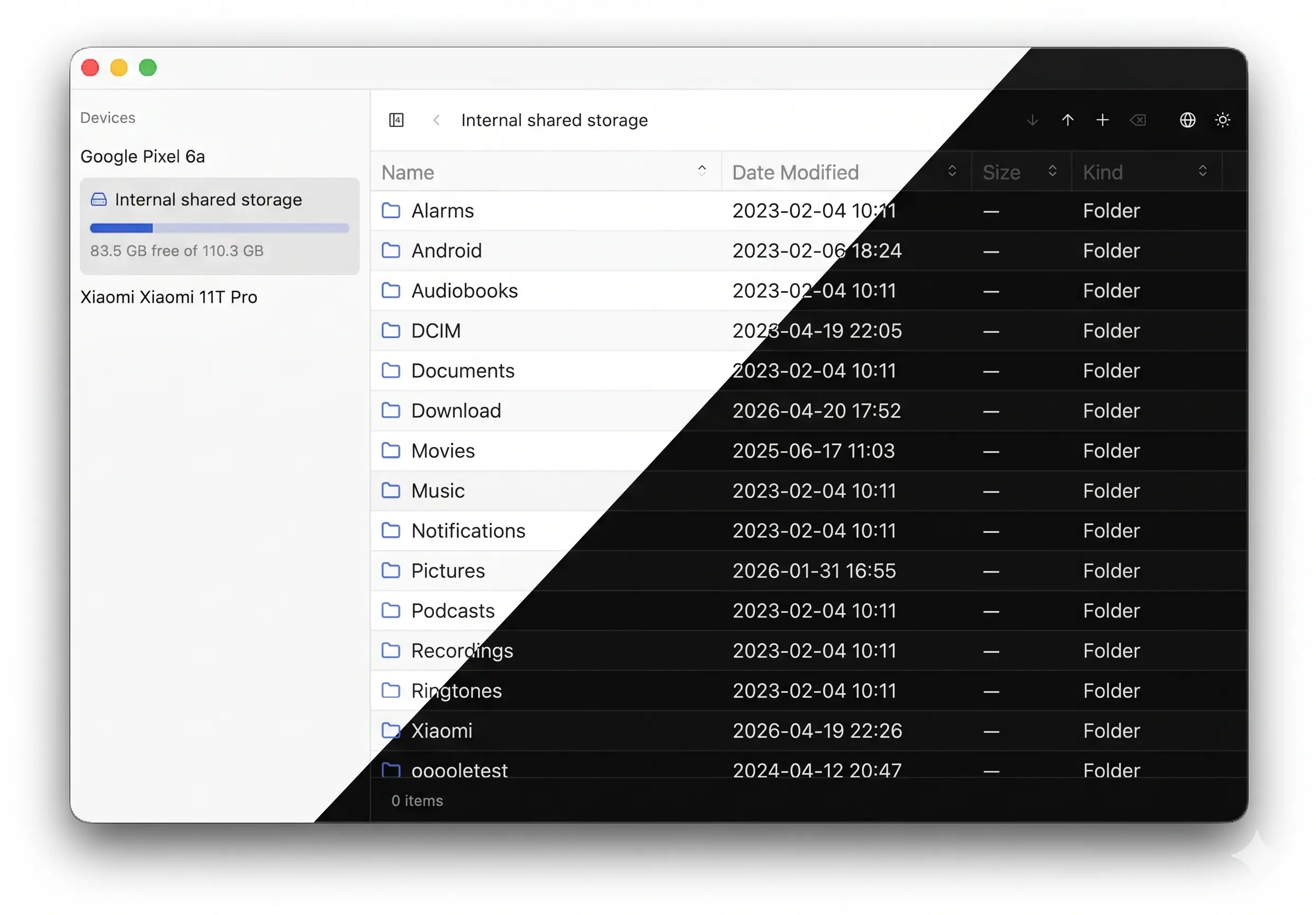
A cross-platform MTP client built with gpui, gpui-component and mtp-rs. Simple, easy to use, and extremely lightweight.
Install
macOS
Download the latest signed and notarized Mulu_*.dmg (Apple Silicon) from the Releases page, open it, and drag Mulu.app into /Applications.
Debian / Ubuntu (apt)
An apt repository is published at https://yangkx1024.github.io/mulu/ with Release signed by a dedicated GPG key.
sudo install -d -m 0755 /etc/apt/keyrings
curl -fsSL https://yangkx1024.github.io/mulu/pubkey.asc | sudo gpg --dearmor -o /etc/apt/keyrings/mulu.gpg
echo "deb [signed-by=/etc/apt/keyrings/mulu.gpg] https://yangkx1024.github.io/mulu stable main" | sudo tee /etc/apt/sources.list.d/mulu.list
sudo apt update
sudo apt install mulu
apt upgrade will pull future releases automatically.
Arch Linux (pacman)
Each release ships a PKGBUILD alongside a mulu_*.tar.gz source tarball. Download both from the Releases page into the same directory, then build and install with makepkg:
makepkg -si
Verify Linux releases
Linux packages (.deb, .tar.gz) are also signed with minisign for file-level verification. The public key lives at minisign.pub.
The .sig files attached to releases are base64-wrapped; decode them first, then verify with rsign2:
base64 -d mulu_X.Y.Z_amd64.deb.sig > mulu_X.Y.Z_amd64.deb.minisig
rsign verify mulu_X.Y.Z_amd64.deb -p minisign.pub -x mulu_X.Y.Z_amd64.deb.minisig
Build
- Run
cargo run --releasedirectly. Or cargo packager --release(requirescargo-packagerto be installed) — produces an app bundle underbuild/release/.
License
MIT OR Apache-2.0.